




-16%
Camera Triggers
Godox X2T Wireless Flash Trigger
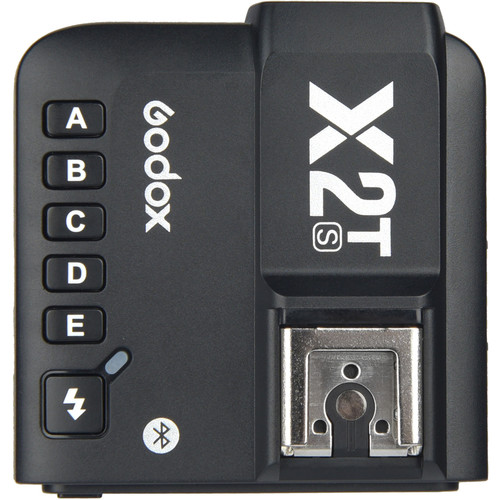
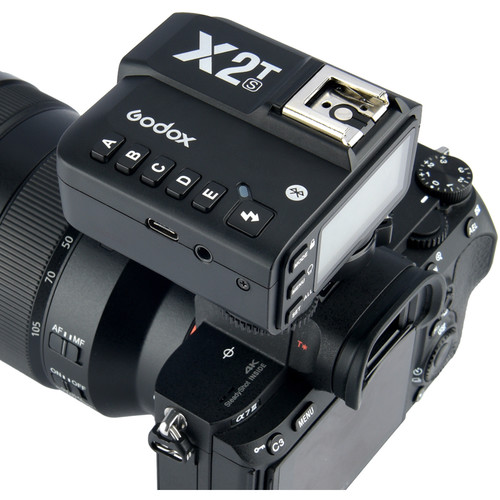
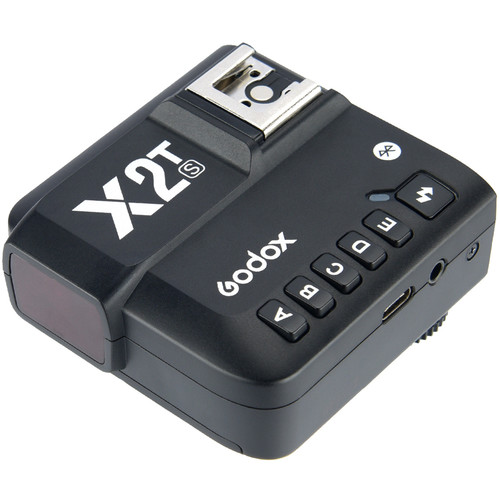
Godox X2T is a 2.4 GHz TTL wireless flash trigger. It controls both on-camera and off-camera Godox flashes or studio lights from up to 100 meters away. It features five dedicated group buttons, a relocated control dial for easier access, and built-in Bluetooth for smartphone control.
Key Features
-
- Compatibility: Available in specific TTL versions for Canon, Nikon, Sony, Fuji, and Olympus/Panasonic cameras.
- Power: Powered by AA batteries.
- High-Speed Sync (HSS): Supports up to 1/8000s for shooting in bright daylight.
- Channels & Groups: Features 32 channels, 5 group buttons, and 99 wireless ID settings to avoid signal interference.
- Smart App Control: Connect via Bluetooth to the GodoxPhoto app (iOS/Android) to adjust settings remotely
How to Pair and Sync
- Match settings: Turn on your X2T trigger and your Godox speedlight. Ensure both devices are set to the exact same channel (e.g., CH 1) and wireless ID.
- Assign Groups: Select a group on the trigger (e.g., A, B, or C) and ensure your flash is set to the same group.
- Test: Press the test button on the trigger (the lightning bolt icon) to fire the flash.
- Fine-tune: Once synced, you can adjust the flash power and mode (TTL or Manual) directly from the trigger’s LCD screen
KSh 8,000.00 KSh 9,500.00
Godox X2T is a 2.4 GHz TTL wireless flash trigger. It controls both on-camera and off-camera Godox flashes or studio lights from up to 100 meters away. It features five dedicated group buttons, a relocated control dial for easier access, and built-in Bluetooth for smartphone control.
Key Features
-
- Compatibility: Available in specific TTL versions for Canon, Nikon, Sony, Fuji, and Olympus/Panasonic cameras.
- Power: Powered by AA batteries.
- High-Speed Sync (HSS): Supports up to 1/8000s for shooting in bright daylight.
- Channels & Groups: Features 32 channels, 5 group buttons, and 99 wireless ID settings to avoid signal interference.
- Smart App Control: Connect via Bluetooth to the GodoxPhoto app (iOS/Android) to adjust settings remotely
How to Pair and Sync
- Match settings: Turn on your X2T trigger and your Godox speedlight. Ensure both devices are set to the exact same channel (e.g., CH 1) and wireless ID.
- Assign Groups: Select a group on the trigger (e.g., A, B, or C) and ensure your flash is set to the same group.
- Test: Press the test button on the trigger (the lightning bolt icon) to fire the flash.
- Fine-tune: Once synced, you can adjust the flash power and mode (TTL or Manual) directly from the trigger’s LCD screen